
Research-based review
Mobile Pixels Geminos X Review: QHD Stacked Monitors for Demanding Workflows
Updated
Dr Claude T
Hematologist & productivity researcher
Medical doctor, multi-screen ergonomics researcher.
About the author →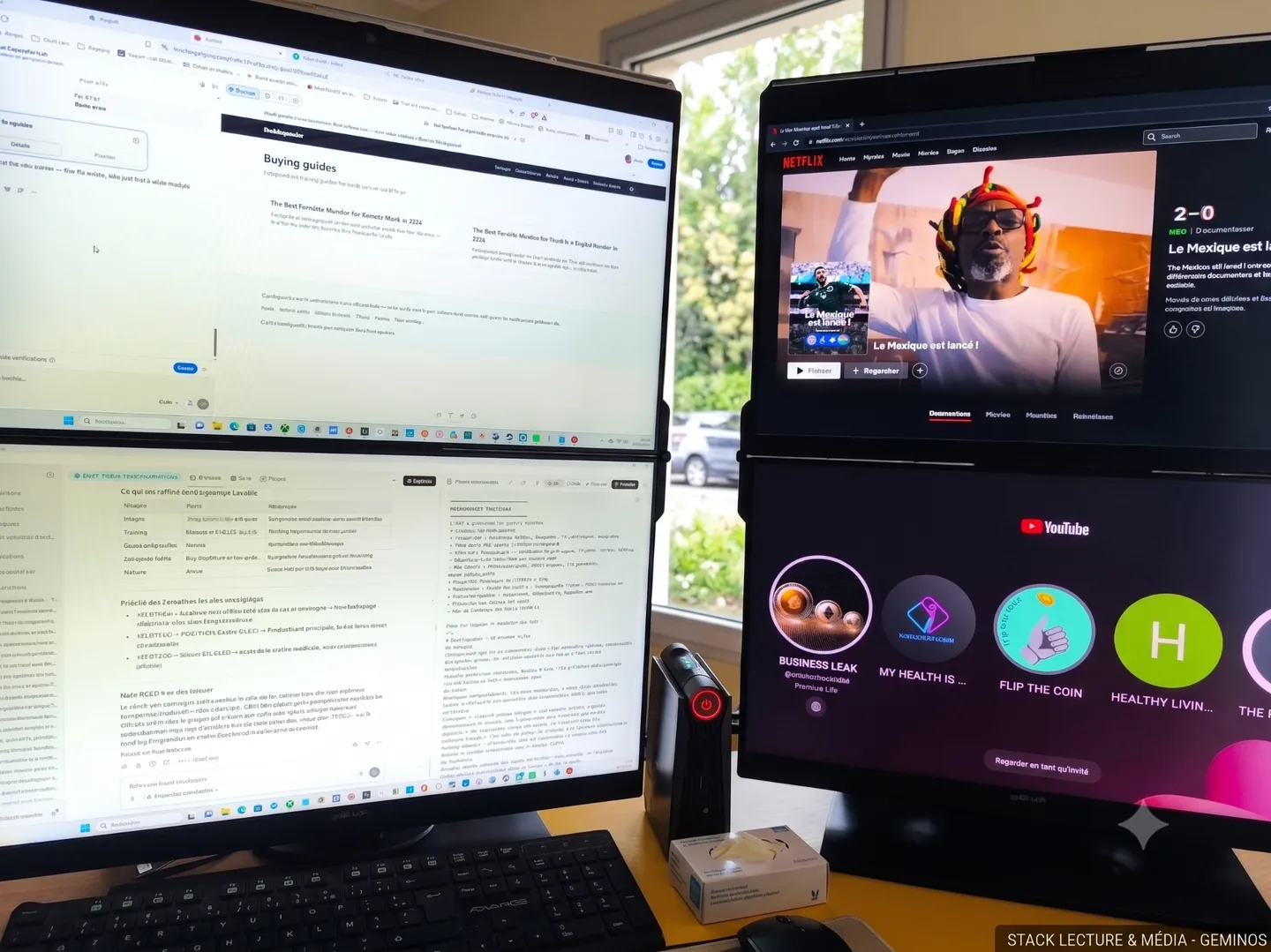
Verdict
The Geminos X is the Geminos done right: QHD resolution finally matches the ambition of a stacked dual layout. Premium price, premium output.
The Geminos X keeps the vertical stack form factor of the original Geminos but upgrades both panels to 2560×1440 QHD. That's the missing piece — dense enough for finance dashboards, IDEs and PACS review.
Mobile Pixels Geminos X
$1099 – $1299
Prices and availability may change.
Why QHD matters here
On a 24-inch panel QHD gives ~122 PPI — sharp UI text, readable code at native scaling, room for real financial dashboards. FHD on the original Geminos was the main criticism; the X answers it.
Build
Same articulated single-arm stack, slightly reinforced for the heavier QHD panels. Cable routing runs through the arm — clean install.
Use cases
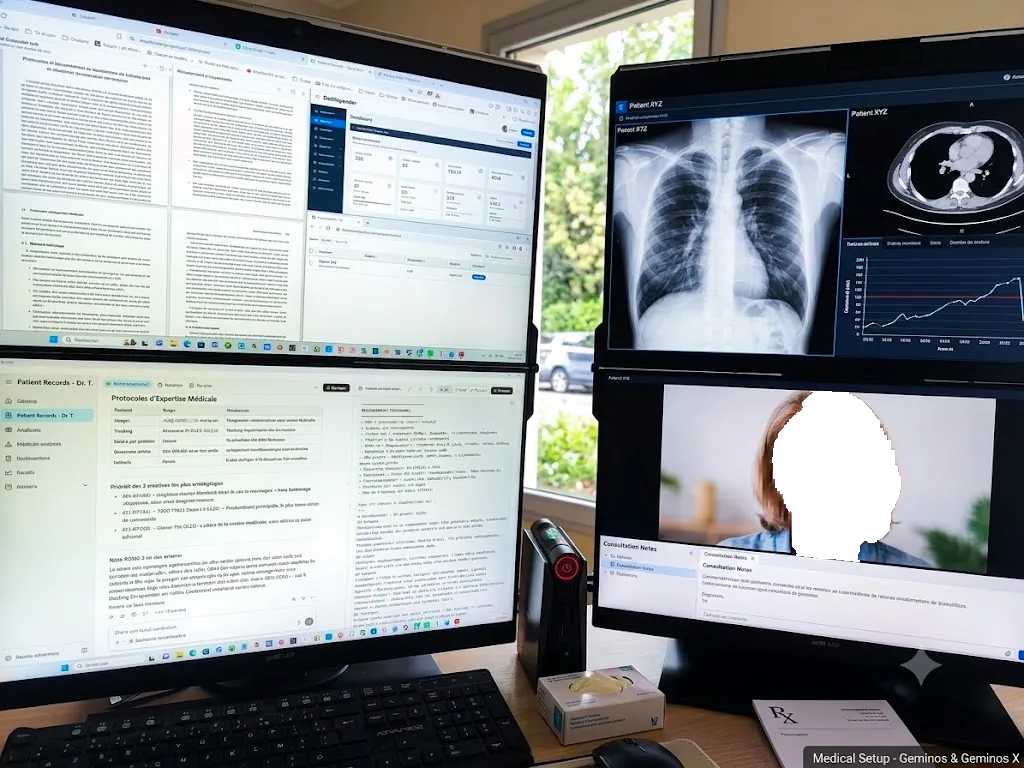
Trading floors that need order book + charts + news; developers who want an editor over a browser; clinicians reviewing imaging on top with notes below.
Portable monitor extension: what this model changes in real-world use
The QHD stack behaves as a permanent extra screen for laptop-centric teams: docked to a notebook it delivers a dual screen laptop workstation with the pixel density that dense spreadsheets and medical imaging demand. Connect over USB-C or HDMI, switch the display mode to “Extend” in Windows or macOS, and split monitoring above from active work below.
Pros
- QHD resolution on both panels — sharp text
- Same stacked layout — narrow gaze cone, small desk footprint
- Single USB-C with 65 W passthrough
- Better colour coverage than the FHD Geminos
Cons
- Premium price positions it against a proper 32" 4K + arm setup
- Weight ~10 kg — desk-fixed only
- Base Apple Silicon Macs still need DisplayLink for both panels
Mobile Pixels Geminos X
Prices and availability may change.
You should buy it if…
- Traders, quant researchers, and finance professionals
- Full-stack developers who want IDE + browser stacked
- Clinicians reading imaging with structured notes below
Skip it if…
- Users who don't need vertical stacking (a 32" QHD single monitor is cheaper)
- Frequent travellers (buy Trio Max instead)
Specifications
- Screen size
- 2 × 24 inches
- Resolution
- 2 × 2560 × 1440 IPS
- Brightness
- ~300 nits
- Connectivity
- USB-C (DP Alt) + HDMI, 65 W PD
- Weight
- ~10 kg
- Touchscreen
- No
Compatibility
- macOS. Two external panels natively on Pro/Max/Ultra. Base M-series needs DisplayLink for the second.
- Windows. Plug-and-play on modern USB-C hardware.
- ChromeOS. Supported on Chromebooks with USB-C DP output.
Frequently asked questions
How is it different from the regular Geminos?
Same form factor, but 2560×1440 per panel instead of 1920×1080 — noticeably sharper and better suited to text-heavy work.
Will my base M2 MacBook Air drive both panels?
Not natively — base M-series Apple Silicon supports one external display. A DisplayLink USB-C dock or adapter is required.
Is it certified for DICOM medical imaging?
No. It's a productivity display, not a medical-grade DICOM monitor. Use for workflow support only, never for primary diagnostic reads.
Can I VESA-mount it?
The arm is proprietary and integrated; VESA mounting is not supported.
Warranty?
12-month limited warranty from Mobile Pixels.
Alternatives to consider
Mobile Pixels Geminos
StackedTwo 24" stacked FHD screens on a single arm — the original vertical dual-monitor.
$699 – $799
Affiliate link — commission earned at no cost to you.
Mobile Pixels Trio Max
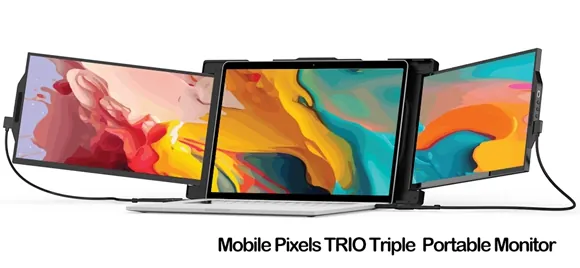
TripleThe premium 14" triple-portable monitor — bigger, brighter, sharper than the Trio.
$499 – $599
Affiliate link — commission earned at no cost to you.