
Research-based review
Mobile Pixels Trio Review: A Triple-Monitor Setup You Can Carry
Updated
Dr Claude T
Hematologist & productivity researcher
Medical doctor, multi-screen ergonomics researcher.
About the author →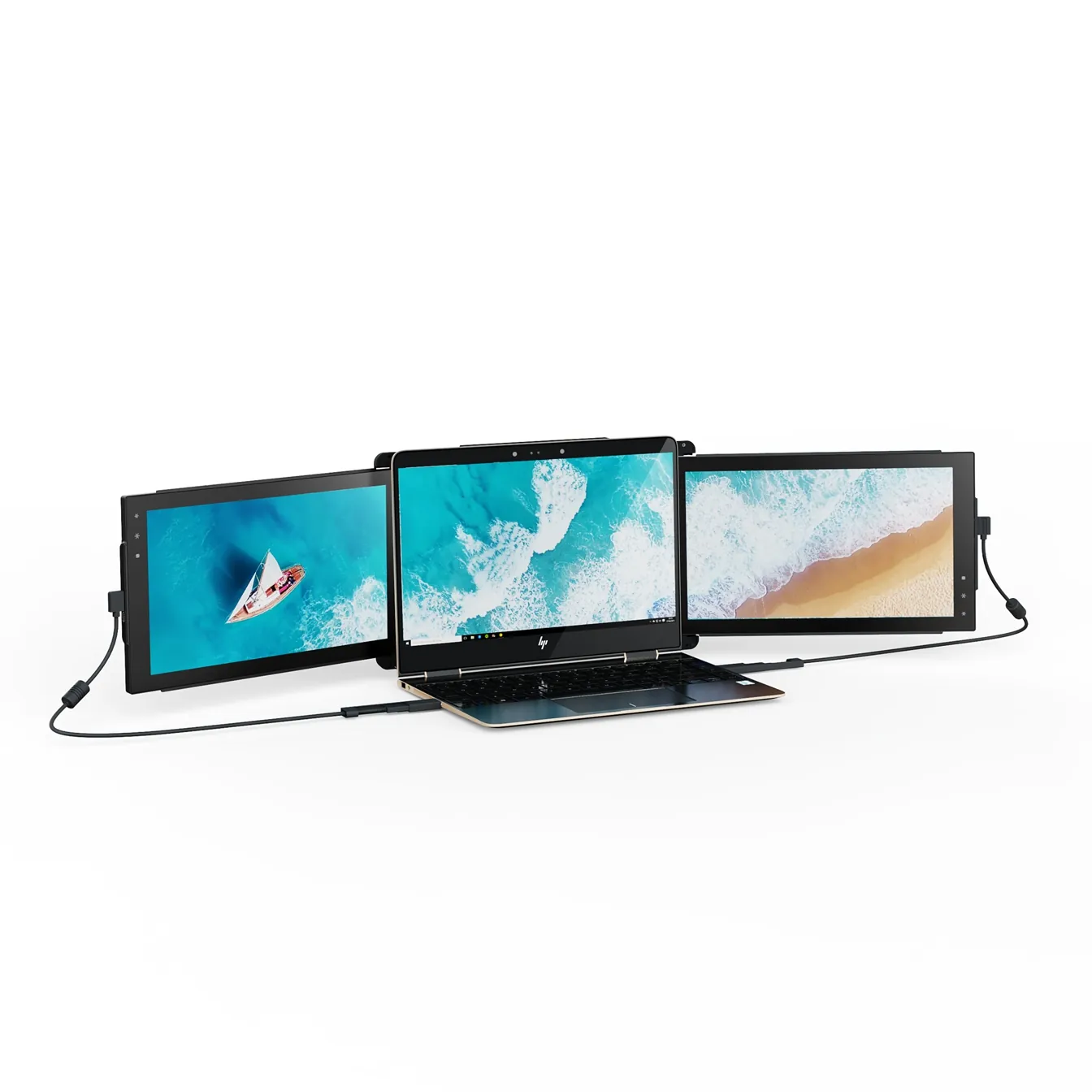
Verdict
The most ambitious portable monitor on the market — no other product gets you to three screens in a single carry. Accept the weight and you gain a transformative mobile workstation.
The Mobile Pixels Trio is the company's flagship: two 12.5-inch IPS panels that slide out of a magnetic frame attached to the back of your laptop. It is unapologetically a productivity tool — not minimalist, not subtle, but unique in what it delivers per carry.
Build and mounting system
The Trio attaches via a magnetic plate that adheres to the back of your laptop lid. The plate is rated for laptops between 13 and 16 inches and supports up to 1.4 kg of additional weight comfortably. Magnets are strong; a textile strap provides a secondary anchor for transport. After repeated deploy/retract cycles in field reports, the hinge holds tension without sag.
Display quality
Both panels are 1920×1080 IPS with a matte anti-glare coating. Peak brightness is specified at 300 nits — adequate for office and home environments, marginal in direct outdoor light. Color reproduction is standard sRGB, suitable for spreadsheets, code, dashboards and document review. Not color-calibrated for photo or video grading.
Connectivity and setup
Each panel connects via a single USB-C cable supporting DisplayPort Alt Mode for video and power delivery in one wire. On older laptops without full-featured USB-C, the included HDMI + USB-A adapter provides a fallback path. Mobile Pixels publishes driver downloads for Windows; macOS and ChromeOS recognise the panels as native external displays.
Real-world weight trade-off
Adding roughly 1.4 kg to a laptop is not trivial. On a 14-inch ultrabook the combined carry weight approaches that of a 16-inch workstation. This is the central trade-off of the Trio: you accept measurable extra weight in exchange for two extra screens that deploy in seconds.
Portable monitor extension: what this model changes in real-world use
This portable monitor acts as a true screen extender for your laptop: combined with the built-in display, it creates a triple screen setup ideal for analysts, consultants and remote workers. Once clipped to the chassis and connected via USB-C or HDMI, it lets you use “Extend display” mode in Windows or macOS so you can move windows freely between the three panels and keep your main apps on the primary display.
Pros
- Triple-monitor productivity in a single carry — unique in this form factor
- Strong magnetic mounting holds securely
- Single USB-C cable per panel on modern laptops
- Wide IPS viewing angles support pair work
- Each panel deploys independently
Cons
- Adds ~1.4 kg to your laptop
- 300-nit brightness limits outdoor use
- Not color-calibrated for creative work
- Magnetic plate is semi-permanent on the laptop lid
- Higher price point than dual-screen alternatives
Mobile Pixels Trio
Prices and availability may change.
You should buy it if…
- Analysts, traders and developers who need true triple-monitor density on the road
- Consultants who present from a portable rig at client sites
- Anyone whose productivity collapses below three panels
Skip it if…
- Designers, photographers and video editors who need color accuracy
- Users who prioritise minimal carry weight above all else
- People who work primarily outdoors or in direct sunlight
Specifications
- Screen size
- 2 × 12.5 inches
- Resolution
- 1920 × 1080 per panel
- Panel type
- IPS, matte anti-glare
- Brightness
- 300 nits (typical)
- Refresh rate
- 60 Hz
- Connectivity
- USB-C (DP Alt Mode) + HDMI
- Added weight
- ~1.4 kg
- Touchscreen
- No
Compatibility
- macOS. Plug-and-play. Recognised as native external display, no driver required.
- Windows 10/11. Plug-and-play on USB-C with DP Alt Mode. Older laptops may need Mobile Pixels' driver from their support site.
- iPadOS. Single-panel use via USB-C; second panel requires mirroring.
- ChromeOS. Plug-and-play on Chromebooks with USB-C video output.
Frequently asked questions
Does the Mobile Pixels Trio work with a MacBook Air M2 or M3?
Yes. A single USB-C cable per panel drives both displays at native 1080p. macOS recognises them as standard external monitors without additional drivers. Note that base-model M2 MacBooks support multiple external displays only with the latest macOS releases — confirm your specific configuration.
Can I deploy just one panel of the Trio?
Yes. Each screen deploys independently, so you can run a single panel when you only need a little extra screen real estate, then add the second when needed.
Is the Trio worth it over two separate portable monitors?
For portability and quick setup, yes — two standalone monitors are typically cheaper but slower to deploy and harder to align at the same height. The Trio's value is in the integrated form factor.
How does the magnetic plate affect my laptop lid?
The plate uses adhesive and is intended to remain attached. It can be removed but typically leaves residue. Treat it as semi-permanent on a given laptop.
What warranty does Mobile Pixels offer on the Trio?
Mobile Pixels provides a standard limited warranty (usually 12 months) on the Trio. Check the product page on Mobile Pixels' site for current warranty terms, which may vary by region and promotional period.
Alternatives to consider

Mobile Pixels Duex Plus
DualA 13.3" magnetic slide-out display, the everyday workhorse of portable dual-screen.
$269 – $329
Affiliate link — commission earned at no cost to you.
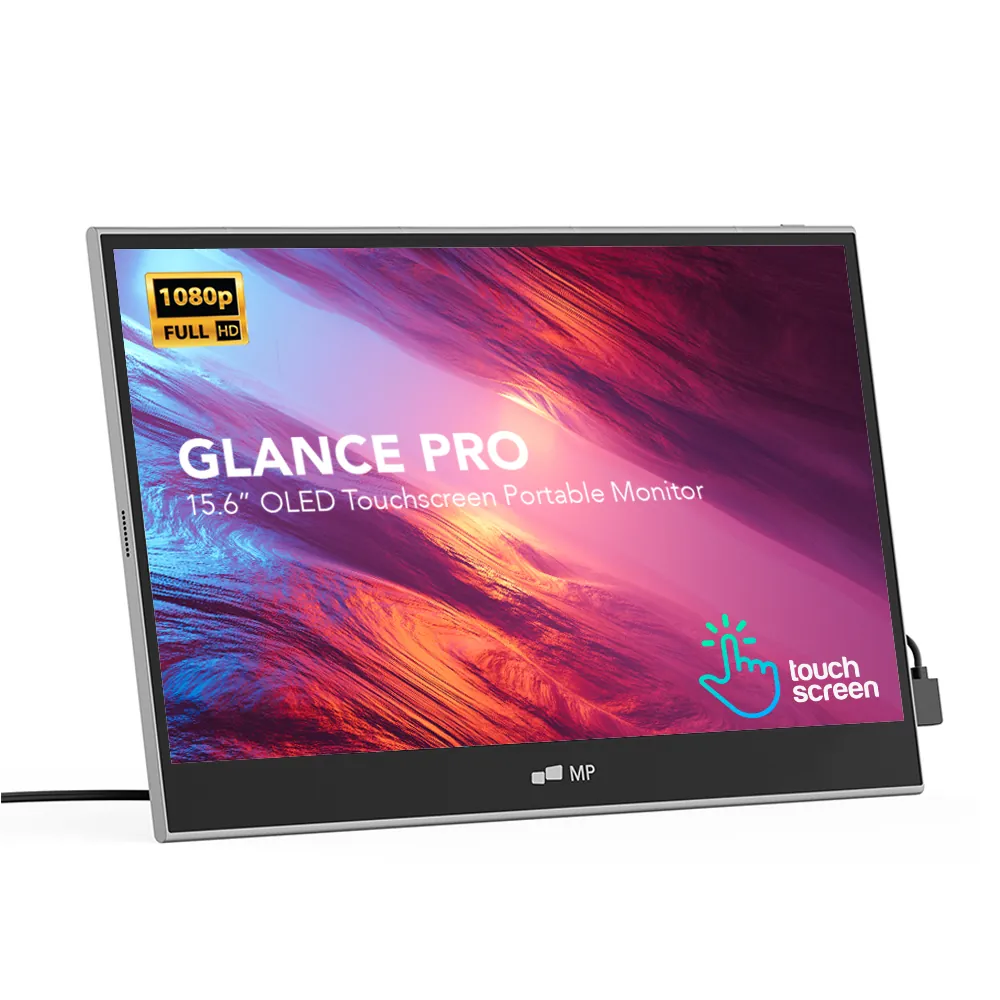
Mobile Pixels Glance Pro OLED
StandaloneA standalone 15.6" OLED touchscreen for clinical work and color-critical tasks.
$549 – $699
Affiliate link — commission earned at no cost to you.