
Portable monitor extension: how to turn a laptop into a dual screen or triple screen workstation
Updated
Dr Claude T
Hematologist & productivity researcher
Medical doctor, multi-screen ergonomics researcher.
About the author →A portable monitor extension turns a standard laptop into a true multi-screen workstation: dual screen laptops for analysis and writing, triple screen setups for trading, medicine or development. In practice, these portable monitors act as extra displays connected via USB-C, HDMI or a docking station, with the display mode set to “Extend” in Windows or macOS so each screen shows different content.
Why choose a portable monitor extension instead of a traditional desktop monitor
12.5 inches is the everyday carry; 13.3 inches is the productivity sweet spot; 15.6 inches and above cross the line into desktop-replacement. QHD only earns its price on 24-inch stacked panels or color-critical OLEDs.
Dual screen laptop setup: ports, cables and display settings you need to check
Magnetic slide-outs (Duex, Trio) win on setup speed and portability. Standalone panels (Glance Pro) free the laptop lid and enable touch. Stacked dual desktops (Geminos, Geminos X) replace a full multi-monitor rig on a single arm.
Triple screen setup with portable monitors: when a third screen really makes sense
300 nits IPS is the practical floor. OLED unlocks true blacks, wide gamut and touch — the right pick when image quality matters more than raw carry weight.
Dual screen laptop vs docking station: which multi-screen option fits your workflow
A docking station drives large fixed displays but keeps you at one desk. A laptop screen extender travels with the machine and needs no external power in most setups — the trade-off is panel size, not capability.
Configuring extended display in Windows and macOS for dual and triple screens
USB-C with DisplayPort Alt Mode is the modern default — one cable, video plus power. HDMI + USB-A is the legacy fallback for older machines. In Windows, open Display settings and pick “Extend these displays”; on macOS, uncheck “Mirror Displays” in System Settings > Displays and drag each panel into its physical position.
Top picks by persona
Daily remote worker on a 13" laptop
Mobile Pixels Duex Plus
Best portability-to-productivity ratio in the lineup.
Triple-screen power user on the road
Mobile Pixels Trio
The only integrated triple-monitor setup you can actually carry.
Stacked desktop replacement
Mobile Pixels Geminos X
Two 24" QHD panels on a single arm for finance, code and clinical density.
Color-critical or touch-first workflow
Mobile Pixels Glance Pro OLED
OLED, wide gamut, 10-point touch — standalone.
Budget-first entry point
Mobile Pixels Duex Lite
Lowest-risk way to try portable dual-screen.
Common mistakes to avoid
- Buying on price alone without verifying USB-C DP Alt Mode support on your laptop
- Choosing a 15" standalone when a 13" slide-out would actually match your bag
- Ignoring brightness specs — 200-nit panels are a daily frustration near a window
- Underestimating the semi-permanent nature of magnetic mounting plates
- Assuming any panel is color-accurate — most portable IPS is sRGB-only
Frequently asked questions
What is the single best portable monitor in 2026?
There is no single answer. For daily portable dual-screen the Duex Plus wins. For triple-screen density the Trio wins. For color and touch the Glance Pro wins. For a stacked desktop replacement the Geminos X wins.
Are portable monitors worth it if I already have a home office?
Yes if you work from more than one location per week. If you never leave your desk, invest in a fixed 27"+ display instead — you'll get more pixels per euro.
Do portable monitors reduce laptop battery life?
Yes — expect a 20–30% hit on typical workloads. Carry your charger for anything longer than a 2-hour session.
Which portable monitors work on iPad?
USB-C iPads treat modern portable monitors as native external displays in supported apps. Slide-out models physically attach to laptop lids, which limits their utility for iPad-only setups.
Recommended products

Mobile Pixels Duex Plus
DualA 13.3" magnetic slide-out display, the everyday workhorse of portable dual-screen.
$269 – $329
Affiliate link — commission earned at no cost to you.
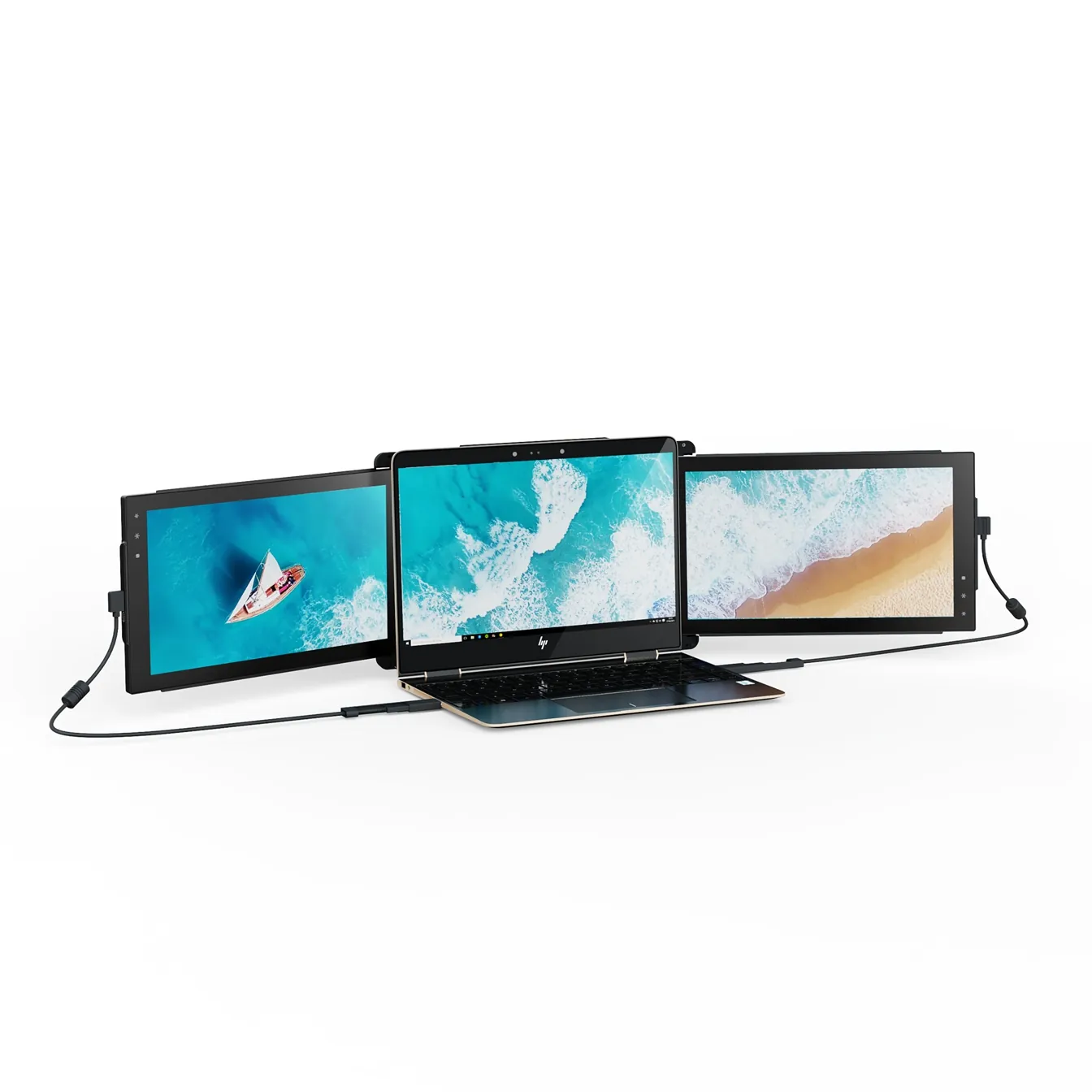
Mobile Pixels Trio
TripleTwo 12.5" slide-out panels turn your laptop into an instant triple-monitor setup.
$399 – $499
Affiliate link — commission earned at no cost to you.
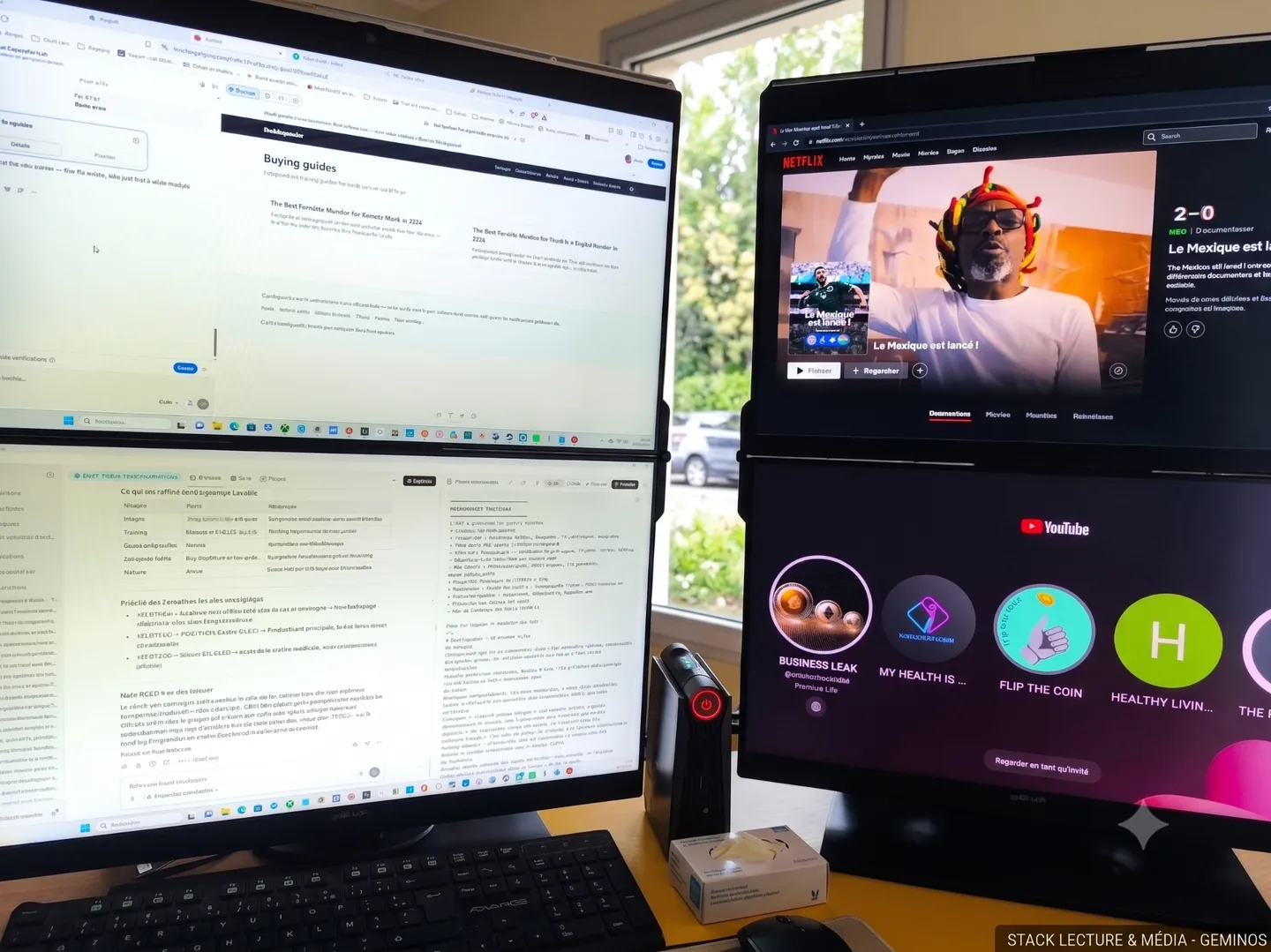
Mobile Pixels Geminos X
StackedTwo 24" QHD stacked panels for finance, code and clinical workflows.
$1099 – $1299
Affiliate link — commission earned at no cost to you.
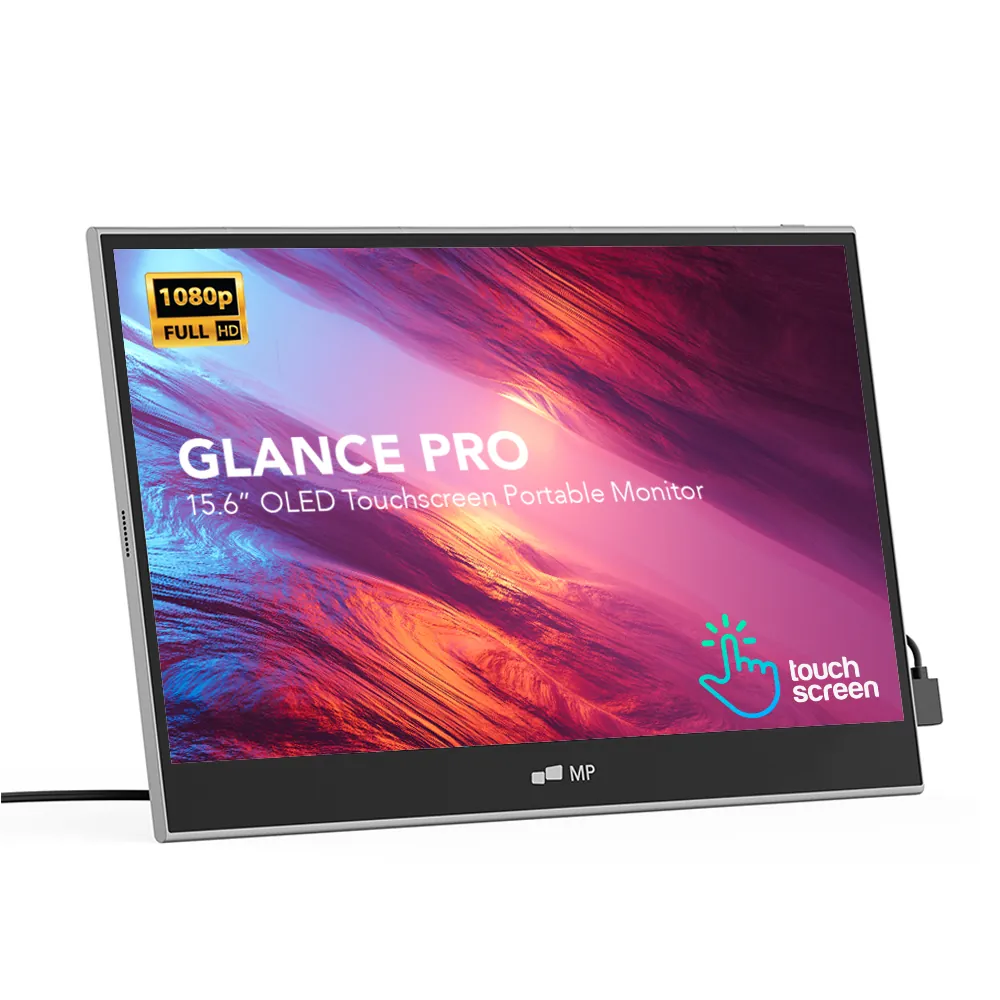
Mobile Pixels Glance Pro OLED
StandaloneA standalone 15.6" OLED touchscreen for clinical work and color-critical tasks.
$549 – $699
Affiliate link — commission earned at no cost to you.
Mobile Pixels Duex Lite
DualThe lightweight 12.5" entry point to portable dual-screen work.
$199 – $229
Affiliate link — commission earned at no cost to you.